How to test an Xbox controller
Connect the controller, click this page and press any button. The overlay disappears and the diagram follows every input. A full check takes about a minute:
- A, B, X, Y and the d-pad. Each press should light the button once and add one to the press counter.
- LB, RB and the stick clicks. Press both bumpers, then click each stick straight down.
- View, Menu, Xbox and Share. On Windows the Xbox button also opens the Game Bar; close it and carry on.
- LT and RT. Pull each trigger slowly to the end. The bar should rise smoothly, and the max should reach 100%.
- Sticks. Let go: both should rest near 0.000. Then roll each stick around its edge and check the trail draws a full circle.
- Rumble. Test the left and right motors, then the trigger motors.
Connecting: USB, Xbox Wireless Adapter or Bluetooth
A USB cable is the simplest: Xbox Series controllers use USB-C, Xbox One controllers use micro-USB. Make sure the cable carries data. The Xbox Wireless Adapter for Windows gives the same features as a cable without the wire. Bluetooth works with Xbox Series controllers and later Xbox One controllers (the ones without a seam between the Xbox button and the face). To pair, hold the small pair button on top until the Xbox button flashes, then add it in your computer's Bluetooth settings. If buttons behave strangely, update the controller in the Xbox Accessories app first; old firmware can cause Bluetooth problems.
Testing rumble and trigger rumble
Xbox One and Series controllers have four motors: a strong one in the left grip, a lighter one in the right grip, and one behind each trigger (Microsoft calls them impulse triggers). Chrome and Edge can drive the two grip motors on Windows, macOS and Linux. The trigger motors only work in Chrome and Edge on Windows 10 or 11, and they are most reliable over USB or the Xbox Wireless Adapter. The panel reads what your browser offers for this controller and enables only the buttons it supports.
Firefox does not support controller vibration by default, and Safari on iPhone and iPad does not either. If the page says rumble is supported and you feel nothing at full strength, test in a game before blaming the motor.
Common Xbox controller faults
Stick drift
If a stick dot rests away from the centre or slowly wanders, that is drift. The stick drift test records both sticks with your hands off, measures how far they rest from centre, and gives you the dead zone to set in your games, with cleaning and repair steps.
Bumpers that double press or stick
Worn bumper switches are a known weak point. Press LB ten times and check the raw table shows exactly ten presses. Extra presses mean the switch bounces; missed presses mean it is not making contact.
Triggers that stop short
If the max value stays below 100%, a game may never register a full pull. On Elite controllers, check the trigger locks first. On standard controllers, dirt or a worn sensor is the usual cause.
Elite Series 2 paddles
The paddles have no inputs of their own in a browser. They act as the buttons you assign in the Xbox Accessories app, so assign them, then press each paddle and watch that button light up.
What this test cannot show
The page shows what your browser receives. It cannot measure input lag or wireless delay in milliseconds, because the browser checks controllers at its own pace and the page reads them once per screen refresh. For other controllers, use the general controller test or the PS5 controller test.
Questions
How do I test my Xbox controller on a PC?
Connect it with a USB cable, an Xbox Wireless Adapter or Bluetooth, open this page and press any button. Every button lights up on the diagram, the sticks and triggers move live, and you can test both rumble motors and the trigger motors.
How do I test Xbox trigger rumble?
Use Chrome or Edge on Windows 10 or 11, connect the controller and press the Left trigger and Right trigger buttons in the vibration panel. You should feel a buzz in the trigger itself. Other browsers and systems cannot drive the trigger motors.
Why does the Xbox button open the Game Bar?
Windows uses the Xbox button to open the Xbox Game Bar. The browser usually still sees the press. If the Game Bar gets in the way, turn off the controller shortcut in Windows settings under Gaming, Xbox Game Bar.
Why does the Share button not light up?
The Share button on Xbox Series controllers is newer than the standard gamepad layout, and not every browser or connection passes it on. If every other button works, a dark Share button here is not a fault.
How do I know if my Xbox controller has stick drift?
Let go of both sticks and watch the values. A healthy stick rests within about 0.02 of zero; 0.05 or more is drift. The stick drift test measures it over 8 seconds and tells you which dead zone to set in your games.
My trigger stops at 90%. Is it broken?
Not always. Dust, a sticky trigger or, on Elite controllers, the trigger locks can stop it short. Clean around the trigger and test again. If it still stops short with the locks off, the trigger sensor may be worn, which is a warranty issue.
Do the Elite controller paddles show up?
Not as separate buttons. The paddles act as whatever button you assign to them in the Xbox Accessories app, so pressing a paddle lights up that button on the diagram.
How many Xbox controllers can I test at once?
Windows exposes up to four Xbox controllers at a time. Each one gets its own tab above the diagram once you press a button on it.
More tests
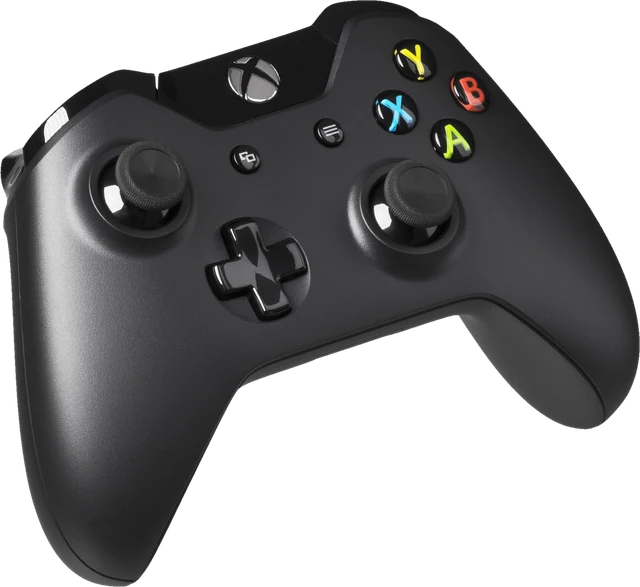 Controller testButtons, sticks, triggers and vibration for any gamepadStick drift testMeasure drift and get the dead zone to set
 PS5 controller testDualSense buttons, sticks and triggers
 Mouse testCheck every button, side buttons and the scroll wheel
 Keyboard testPress every key, with ISO, AZERTY and QWERTZ layouts
 Mic testLevel, clipping, noise floor and a playback check